How to Get Your First 1,000 Organic Visitors (Step-by-Step)
A realistic, milestone-focused guide for new websites. Learn exactly what to do in the first 16-24 weeks to reach 1,000 monthly organic visitors from Google.
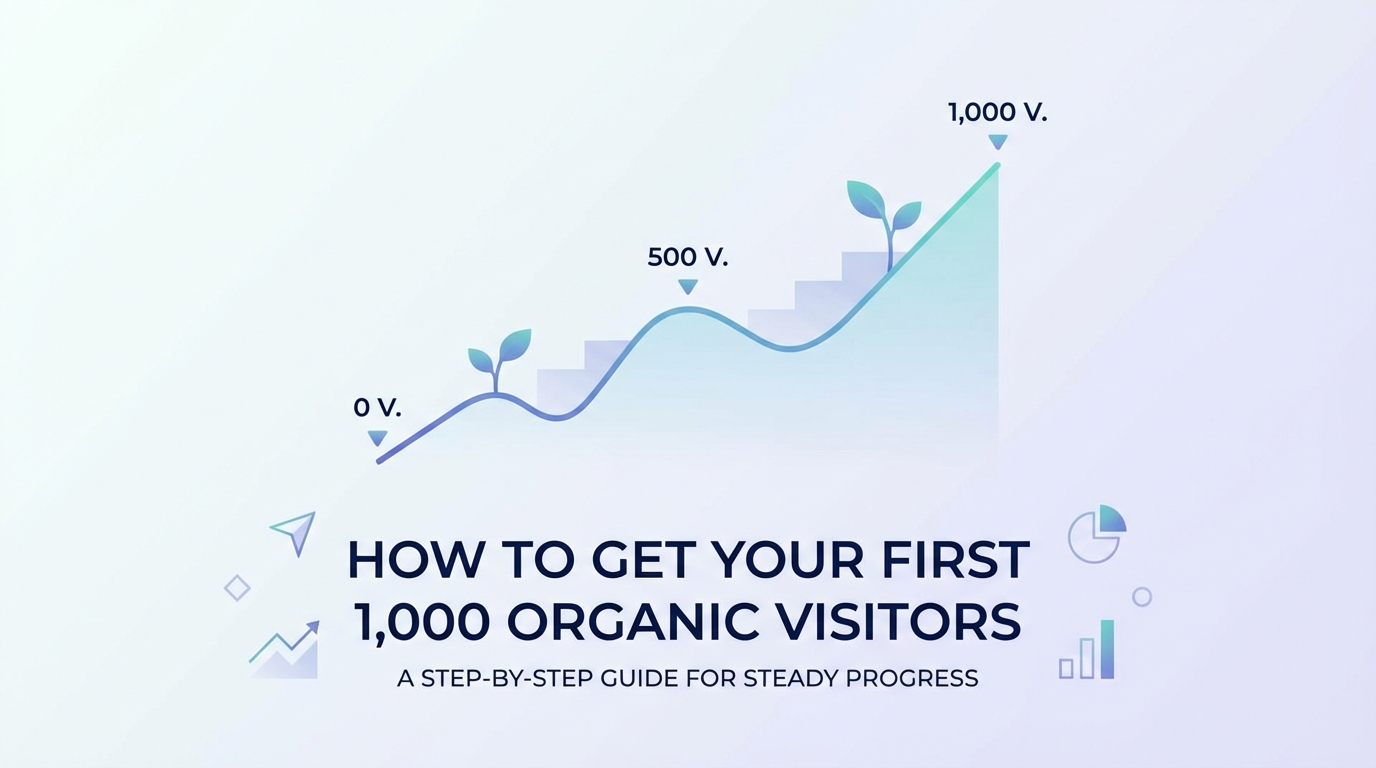
The first 1,000 organic visitors is the hardest milestone in SEO. Not because it requires complex strategies or expensive tools—but because it requires patience, consistency, and doing the right fundamentals while seeing almost no results for months.
Most SEO advice skips over this painful reality. You'll find plenty of "10X your traffic" guides or "100,000 visitors in 90 days" case studies. But almost nothing addresses the specific challenge that new websites face: getting Google to notice you exist in the first place.
This guide is different. We're going to walk through exactly what to do in your first 16-24 weeks to reach 1,000 monthly organic visitors. No magic tricks, no unrealistic timelines, just the fundamentals done right.
Why 1,000 Visitors Matters
Before we dive into tactics, let's talk about why this milestone is so important:
Psychologically: It's proof that SEO works for your site. You're not just publishing content into the void—real people are finding you through Google.
Practically: At 1,000 monthly visitors, you can start to see patterns in what's working. You have enough data to make informed decisions about content strategy, keyword targeting, and optimization efforts.
Motivationally: The first 1,000 is exponentially harder than the next 4,000. Once you hit this milestone, growth accelerates naturally. You've built the foundation.
The Cold Start Problem
Here's the challenge every new website faces: Google doesn't know you exist, and it doesn't trust you yet.
Think about it from Google's perspective. There are billions of web pages. Your brand-new site with 10 pages and zero backlinks? Why should Google show it to users instead of established sites that have been publishing for years?
This is called the "cold start problem," and it's why you can't just publish great content and expect immediate traffic. You need to build trust signals, demonstrate consistency, and show Google that your site deserves to rank.
The good news? It's completely achievable with the right approach.
Setting Realistic Expectations
Let's get the timeline out of the way upfront: reaching 1,000 monthly organic visitors typically takes 4-6 months for a new website doing everything right.
Here's what that curve usually looks like:
| Month | Expected Visitors | What's Happening |
|---|---|---|
| Months 1-2 | 0-50 visitors | Google discovers your site, indexes first pages. Mostly just you checking your own site. |
| Month 3 | 50-200 visitors | First real traction begins. Some pages start appearing on page 2-3 of search results. |
| Month 4 | 200-500 visitors | Momentum builds. A few articles break into first page of results for long-tail keywords. |
| Months 5-6 | 500-1,000+ visitors | Compound growth kicks in. Authority builds, more pages rank, traffic accelerates. |
Can it happen faster? Yes, if you're in a very low-competition niche or have existing authority (like a strong social media following). Can it take longer? Absolutely, especially if you're in a competitive industry or make common mistakes.
Key Insight: This isn't a linear progression. It's a compound curve. Progress feels painfully slow for the first 3 months, then accelerates rapidly.
When to Worry vs When to Be Patient
Don't worry if:
- You're at week 8 and only seeing 10-20 visitors per month
- Your first few articles haven't ranked yet
- Competitors with higher Domain Authority are outranking you
- You're not seeing immediate results from new content
Do worry if:
- At week 12, Google Search Console shows zero impressions (your content isn't indexed)
- Your pages aren't mobile-friendly or have major technical issues
- You're targeting extremely competitive keywords with no low-competition options
- You haven't published at least 8-10 pieces of quality content by month 3
The Complete 16-24 Week Roadmap
Here's your week-by-week action plan:
| Weeks | Focus Area | Key Tasks | Time Commitment |
|---|---|---|---|
| Week 1 | Foundation | Technical setup, Google tools, first 5 pages | 10-15 hours |
| Week 2 | Strategy | Keyword research, identify 10 low-competition targets | 4-6 hours |
| Weeks 3-8 | Content Creation | Publish 2 posts/week (10 total), build structure | 8-12 hours/week |
| Weeks 3-8 | Quick Wins | Share on Reddit, Quora, LinkedIn, communities | 2-3 hours/week |
| Week 8 | Indexing Push | Submit sitemap, request indexing, fix issues | 2-3 hours |
| Weeks 9-12 | Consistency | Continue 2 posts/week, monitor performance | 8-12 hours/week |
| Week 12 | First Checkpoint | Analyze data, double down on what works | 3-4 hours |
| Weeks 13-16 | Optimization | Update top content, build internal links | 6-8 hours/week |
| Weeks 16-24 | Scale & Refine | Compound growth phase, minor keyword difficulty increase | 8-12 hours/week |
Part 1: Foundation Work (Week 1)
Time Required: 10-15 hours
Before you write a single blog post, you need to get the basics right. These are table stakes—without them, nothing else matters.
Technical Minimums
SSL certificate (HTTPS): Your site must have HTTPS enabled. Most hosting providers include free SSL certificates via Let's Encrypt. If you see "Not Secure" in the browser bar, fix this immediately. Google explicitly ranks HTTPS sites higher than HTTP.
Mobile-friendly design: Over 60% of searches happen on mobile devices. Your site must look good and function properly on phones. Use Google's Mobile-Friendly Test tool to verify. If you're using modern platforms like WordPress, Webflow, or Squarespace, this should be automatic.
Page speed basics: Your homepage should load in under 3 seconds. Run Google PageSpeed Insights and focus on the red flags. You don't need a perfect score (that's unrealistic), but you need "good enough." Compress images, minimize plugins, and use a decent hosting provider.
Google Search Console setup: This is non-negotiable. Search Console is how you'll submit your sitemap, monitor indexing, and track early performance. Set it up at search.google.com/search-console and verify your domain.
Google Analytics 4 setup: You need to track visitors and understand where they're coming from. GA4 is free and takes 15 minutes to set up. Don't skip this—you can't improve what you don't measure.
Content Minimums
Clear homepage: Your homepage should explain what you do and who you serve in under 10 seconds. Don't get clever with vague positioning. Be direct.
About page with E-E-A-T signals: E-E-A-T stands for Experience, Expertise, Authoritativeness, and Trust. Your About page should establish credibility. Who are you? Why should anyone listen to you? Include real names, photos, credentials, and contact information.
Contact information visible: Having clear contact information (email, phone, address for local businesses) builds trust with both users and Google. It signals that you're a legitimate business.
5+ pages of real content: Launch with at least 5 pieces of substantive content (not including homepage, about, contact). This shows Google you're serious and gives them multiple pages to evaluate.
Week 1 Checklist
- [ ] SSL certificate installed and working
- [ ] Mobile-friendly design verified
- [ ] Page speed under 3 seconds on key pages
- [ ] Google Search Console connected and verified
- [ ] Google Analytics 4 tracking installed
- [ ] Homepage clearly explains value proposition
- [ ] About page with author credentials and E-E-A-T signals
- [ ] Contact information visible and accurate
- [ ] 5+ pieces of quality content published
Part 2: Your First 10 Keywords (Week 2)
Time Required: 4-6 hours
The biggest mistake new sites make? Targeting keywords they have no chance of ranking for.
"Best CRM software" has a keyword difficulty of 90+ and the top results are all from sites with Domain Rating 80+. If your new site has DR 0, you're not ranking for that keyword this year. Maybe not ever.
Instead, you need the low-competition, long-tail approach.
Why Low-Competition Keywords Matter for New Sites
Low-competition keywords are your foot in the door. They have:
- Lower search volume (50-500 searches/month instead of 10,000+)
- Lower difficulty scores (under 30 instead of 70+)
- More specific intent (which often converts better)
- Weaker competition (other DR 0-20 sites ranking)
Quick Math: Winning 10 low-competition keywords at 50 searches/month each gets you 500 visitors. That's halfway to your goal.
Tool-Free Keyword Research Method
You don't need expensive tools to find good keywords. Here's a free approach:
Step 1: List 20 questions customers actually ask you
If you're a project management consultant, your customers might ask:
- "How do I keep my remote team on track?"
- "What's the difference between Agile and Waterfall?"
- "How much should a project manager charge per hour?"
If you don't have customers yet, think about the questions you asked when you were learning your field.
Step 2: Search each question in Google (use incognito mode)
Type the exact question into Google and look at the results. Pay attention to:
- Who's ranking in the top 10? Big brands or small blogs?
- What's the Domain Rating of top results? (Use free tools like Ahrefs Webmaster Tools or Moz's Link Explorer free tier)
- Are the results actually good, or could you write something better?
Step 3: Note questions where competition is weak
You're looking for search results where:
- At least 3-5 of the top 10 results are from sites with DR under 30
- The existing content is thin, outdated, or poorly written
- Forum threads or Reddit discussions are ranking (signals under-served topic)
- No major brands dominate the results
Step 4: Pick your first 10 target keywords
Choose 10 questions where you can realistically compete. Prioritize:
- Questions you can answer better than existing results
- Topics closely related to your product/service
- Questions with clear commercial intent (leads to sales)
Week 2 Checklist
- [ ] Listed 20+ questions your customers ask
- [ ] Researched competition for each question in Google
- [ ] Identified 10 low-competition opportunities
- [ ] Prioritized list based on relevance and competition
- [ ] Created content calendar for first 10 pieces
Part 3: Creating Content That Ranks (Weeks 3-8)
Time Required: 8-12 hours per week
Now comes the hard work: consistently creating quality content that deserves to rank.
The 10-Post Foundation Strategy
Your first 10 posts should follow this mix:
Posts 1-5: Answer your customers' questions directly
These are the easiest to write because you have genuine expertise. They should:
- Directly answer the search query in the first paragraph
- Provide practical, actionable advice
- Include examples from your experience
- Be 1,500-2,500 words (enough depth to be useful)
Example topics:
- "How to [specific task] for [specific audience]"
- "Why [common problem] happens (and how to fix it)"
- "What to do when [specific situation]"
Posts 6-8: Comparison and alternative content
These target commercial intent keywords. People searching "X vs Y" or "alternatives to X" are actively evaluating solutions.
Example topics:
- "[Tool A] vs [Tool B]: Which is right for small teams?"
- "5 alternatives to [popular tool] for [specific use case]"
- "[Expensive solution] alternatives for small businesses"
Posts 9-10: Resource guides and roundups
These are your "authority building" pieces. Longer, more comprehensive content that positions you as an expert.
Example topics:
- "The complete guide to [specific topic]"
- "21 [resources/tools/strategies] for [target audience]"
- "[Topic] for beginners: Everything you need to know"
Content Quality Checklist
Before publishing anything, verify it meets these standards:
Does it directly answer the search query? The first paragraph should give readers the core answer. No fluff, no 500-word introductions. Respect their time.
Is it better than current top results? Open the top 5 ranking pages in tabs. Can you honestly say your content is more useful, more comprehensive, or more actionable? If not, keep improving.
Does it include original insight or experience? Don't just rehash what everyone else says. Add your perspective, real examples, case studies, or contrarian takes. This is what makes content linkable and shareable.
Proper heading structure? Use one H1 (your title), then H2s for main sections, and H3s for subsections. This helps both readers and search engines understand your content structure.
Long enough to be comprehensive? For informational queries, aim for 1,500+ words. For commercial/comparison content, 2,000-3,000 words is normal. Don't pad for word count, but be thorough.
Publishing Cadence
Pro Tip: Two posts per week is the sweet spot for most small teams. That's 8 posts per month, hitting your 10-post foundation in 5-6 weeks.
Can you publish more? If you can maintain quality, yes. But don't sacrifice quality for quantity. One excellent article per week beats three mediocre ones.
Consistency beats volume. It's better to publish every Tuesday and Thursday for 6 months than to publish daily for 2 weeks and then disappear for 3 months. Google rewards consistent, active sites.
Weeks 3-8 Checklist
- [ ] Published posts 1-5 (customer questions)
- [ ] Published posts 6-8 (comparison/alternatives)
- [ ] Published posts 9-10 (resource guides)
- [ ] All content meets quality checklist standards
- [ ] Maintained consistent publishing schedule
- [ ] Added internal links between related posts
- [ ] Optimized images with alt text
- [ ] Verified mobile formatting on all posts
Part 4: Quick Wins While Waiting (Weeks 3-8)
Time Required: 2-3 hours per week
SEO takes time to work. But you don't have to sit idle while waiting for Google to notice you. These tactics generate traffic now and help your SEO long-term.
Non-SEO Traffic Sources That Help SEO
Reddit and Quora: Search for questions related to your content. Provide genuinely helpful answers and include a link to your relevant blog post when appropriate. Don't spam—add value first, link second.
Industry forums and communities: Join niche communities where your audience hangs out. Facebook Groups, Slack communities, Discord servers. Share your content when it's genuinely useful to the discussion.
LinkedIn (for B2B) or Pinterest (for visual content): LinkedIn posts can drive immediate traffic and build brand awareness. Pinterest is surprisingly powerful for certain niches (design, food, travel, DIY).
Email signature link: If you're emailing prospects, partners, or customers anyway, include a link to your site in your signature. Small, but it adds up.
Local business directories: If you're a local business, get listed in Google Business Profile, Yelp, Better Business Bureau, industry-specific directories. These provide citations (mentions of your NAP - name, address, phone) that help local SEO.
Why These Help SEO
Initial traffic signals: Google looks at user behavior. If people visit your site and spend time reading, it signals quality. Getting traffic from other sources while you wait for SEO helps.
Potential backlinks: If your content is useful, some of these mentions turn into backlinks. A single high-quality backlink can dramatically improve your rankings for low-competition keywords.
Brand awareness: When people search for your brand name later, Google sees that as a positive signal. Building brand awareness outside of SEO strengthens your SEO.
Content validation: If your content gets engagement on Reddit or LinkedIn, that's proof it resonates. Double down on topics that get traction.
Weeks 3-8 Quick Wins Checklist
- [ ] Answered 10+ questions on Quora or Reddit with links to relevant content
- [ ] Shared new content in 3+ relevant online communities
- [ ] Posted on LinkedIn/Pinterest at least weekly
- [ ] Updated email signature with site link
- [ ] Listed business in top 5 relevant directories
Part 5: The Indexing Push (Week 8)
Time Required: 2-3 hours
By week 8, you should have 10+ pieces of quality content published. Now it's time to make sure Google has found and indexed all of it.
Submit Your Sitemap
In Google Search Console, go to Sitemaps and submit your sitemap URL (usually yourdomain.com/sitemap.xml). This tells Google about all your pages.
Most modern platforms (WordPress, Webflow, Squarespace) generate sitemaps automatically. If you built a custom site, you may need to create one.
Request Indexing for Key Pages
Don't wait for Google to discover your content organically. In Search Console:
- Use the URL Inspection tool
- Enter your page URL
- Click "Request Indexing"
Do this for your 10 most important pages. Google typically indexes requested pages within 24-48 hours.
Check for Indexing Issues
In Search Console, go to Pages → Not Indexed. This report shows pages Google couldn't or didn't index, and why.
Common problems you'll find:
Noindex tags: Your page has a meta tag telling Google not to index it. This often happens by accident during site development. Remove the noindex tag.
Crawl errors: Google tried to access your page but got an error (404, 500, etc.). Fix the underlying technical issue.
Thin content: Google determined your page doesn't have enough substantive content. Either expand the page or delete it.
Duplicate content: Google found multiple pages with very similar content and chose not to index the duplicates. Consolidate or differentiate.
Week 8 Checklist
- [ ] Sitemap submitted in Search Console
- [ ] Top 10 pages manually requested for indexing
- [ ] Checked "Pages" report for indexing issues
- [ ] Fixed any crawl errors or noindex tags
- [ ] Verified all 10+ content pieces are indexed
Part 6: Tracking Progress (Weeks 9-24)
Time Required: 1-2 hours per week
You can't improve what you don't measure. Here's what to monitor and when to check it.
What to Monitor
Google Search Console metrics (check weekly):
- Impressions: How many times your pages appeared in search results
- Clicks: How many people actually clicked through
- Average position: Where your pages rank on average
- Top queries: What keywords are bringing impressions
Indexed pages (check monthly): Go to Search Console → Pages → Indexed. This number should grow as you publish more content.
Keyword rankings (check bi-weekly): Track your 10 target keywords manually or with a free tool like Google Rank Checker. Are you moving up from position 50 to 30 to 15?
Referral traffic sources (check weekly): In Google Analytics, look at Acquisition → Traffic acquisition. Where is traffic coming from? If SEO isn't working yet, what is?
Milestone Markers (What to Expect When)
| Week | Expected Milestone | What Success Looks Like |
|---|---|---|
| Week 4 | First impressions in Search Console | 50-100+ impressions, even if clicks are near zero |
| Week 8 | First organic clicks | 5-10 clicks from long-tail keywords or brand searches |
| Week 12 | 100+ monthly visitors | Multiple pages appearing on page 2-3 of results |
| Week 16 | 300-500 monthly visitors | At least 2-3 pages on first page for target keywords |
| Weeks 20-24 | 1,000 monthly visitors | 5-8 pages ranking well, compound growth visible |
Reality Check: These are guidelines, not guarantees. Some niches move faster, others slower. What matters is consistent upward trajectory.
Progress Tracking Checklist
- [ ] Set up weekly Search Console review routine
- [ ] Created spreadsheet to track keyword positions
- [ ] Set up GA4 custom report for organic traffic only
- [ ] Documented baseline metrics (week 8 numbers)
- [ ] Scheduled monthly "SEO health check" meetings
Part 7: Troubleshooting (If You're Not Seeing Progress)
If you're at week 12 and still seeing minimal traction, here's how to diagnose the problem:
Check: Is content actually indexed?
Go to Google and search: site:yourdomain.com
You should see all your published pages. If pages are missing, they're not indexed. Go back to Part 5 and fix indexing issues.
Check: Are you targeting too-competitive keywords?
Review your target keywords. Search them in Google and look at the Domain Rating of sites ranking in positions 1-10.
If every result is DR 60+, you're fighting out of your weight class. Pivot to easier keywords.
Check: Is content quality sufficient?
Be brutally honest. Would you click on your content if you saw it in search results? Does it provide more value than what's currently ranking?
If not, focus on improving quality rather than publishing more content.
Check: Any technical issues blocking crawling?
In Search Console, check for:
- Robots.txt blocking important pages
- Noindex tags on content pages
- Broken internal links
- Mobile usability errors
- Page speed issues causing crawling problems
When to Pivot vs Persist
Signs to keep going (persist):
- You're seeing steady growth in impressions (even if clicks are low)
- Keyword positions are improving (moving from 80 to 50 to 30)
- Content is getting indexed within days of publishing
- You're getting positive engagement on non-SEO channels
Signs to adjust strategy (pivot):
- Zero impressions after 12 weeks (content isn't being seen at all)
- Keyword positions stuck at 50+ with no movement for 6 weeks
- Bounce rate above 80% (users leave immediately)
- No engagement on any channel (content might not resonate)
Signs to get help:
- Major technical issues you can't diagnose
- Persistent indexing problems despite troubleshooting
- Budget to hire an expert and accelerate progress
- Time constraints prevent consistent execution
What Comes After 1,000
Hitting 1,000 monthly organic visitors is a huge accomplishment. You've proven that SEO works for your site. You have a content foundation and momentum building.
Here's what to focus on next:
Analyze what's working: Which 3-5 pages drive the most traffic? What topics resonate? What keywords are you ranking for that you didn't target? Double down on these insights.
Update and expand top content: Your best-performing articles should be updated quarterly and expanded with new information. This maintains and improves rankings.
Build internal linking structure: Connect related articles with internal links. This helps distribute authority across your site and improves user experience.
Start earning backlinks: With proof that your content is useful (traffic + engagement), start outreach for guest posts, mentions, and links from industry sites.
Target slightly harder keywords: You've built some authority now. You can compete for keywords with difficulty 30-40 instead of only 10-20.
Scale content production: If 2 posts/week got you to 1,000, can you maintain 3 posts/week to reach 5,000? Scale deliberately, not recklessly.
The Good News: The path from 1,000 to 10,000 visitors is much faster than 0 to 1,000. You've done the hardest part.
Final Thoughts
Getting your first 1,000 organic visitors requires three things:
- Patience (4-6 months is normal, not slow)
- Consistency (publishing quality content regularly matters more than volume)
- Fundamentals (technical basics, low-competition keywords, quality content)
There are no shortcuts. Anyone promising "1,000 visitors in 30 days" is either lying or talking about paid traffic. Organic search takes time because Google needs to trust you.
But here's the incredible part: once you build that foundation, it compounds. Your 10 articles become 20, then 50. Some of them start ranking higher. Backlinks accumulate. Your Domain Rating increases. Each new piece of content has an easier time ranking than the last.
The marketers who win at SEO aren't necessarily smarter or more creative. They're the ones who do the fundamentals consistently while everyone else gives up at month 3.
You can do this. Start with week 1. Commit to the full 16-24 weeks. Track your progress. Adjust when needed. But don't give up.
Your first 1,000 organic visitors are waiting for you. Go get them.
Ready to streamline your content creation? ContentFlow helps small teams create SEO-optimized content faster. Start your free 14-day trial and see if we can help you reach that first 1,000 visitors sooner.
Related Reading:
- Frase vs Surfer SEO vs ContentFlow: Which is Right for Small Teams? - Compare the top content optimization tools
- The SEO Audit You Can Do in 30 Minutes (Free Checklist) - Check your site's SEO health quickly